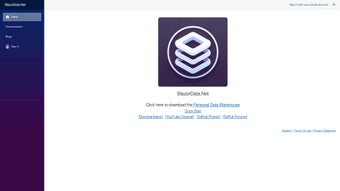

Download BlazorData – Free AI‑Powered Personal Data Warehouse Tool
Overview of BlazorData
BlazorData is a web‑based personal data warehouse that combines an intuitive UI with AI‑driven categorization. Built on the modern Blazor framework, the application runs in any current browser, so users on Windows, macOS, Linux, iOS or Android can start organizing data without installing heavyweight client software. The platform lets you import CSV, JSON, Excel or plain files, then automatically suggests folders, tags and relationships, turning a chaotic file dump into a searchable knowledge base.
Visualization tools are built‑in, offering charts, timelines and heat maps that update in real time as you add or edit records. Because all processing happens on a secure server, the local machine only handles rendering, which keeps performance smooth even on modest hardware. Security is a core focus: TLS 1.3 encrypts data in transit, while AES‑256 protects data at rest, and role‑based access control lets administrators define precise permissions.
The free tier includes 10 GB of storage, unlimited users and full access to core features, making it an attractive option for freelancers, small teams or anyone who wants to own their data rather than rely on siloed cloud services. With a clean dashboard, natural‑language search and API endpoints for developers, BlazorData bridges the gap between simple file storage and enterprise‑grade data management without demanding a Ph.D. in data engineering.
Key Features and Easy Installation Guide
- AI‑Assisted Categorization: Auto‑tags and folder suggestions learn from your corrections.
- Unified Dashboard: One view for recent uploads, reminders and quick search.
- Built‑In Visualizations: Charts, graphs and maps generate instantly from stored data.
- Multi‑Format Import/Export: CSV, JSON, Excel, Google Drive, OneDrive and Dropbox sync.
- Drag‑and‑Drop Report Builder: Create PDF or HTML summaries without leaving the app.
- RESTful API: Programmatic access for custom integrations and automation.
- Role‑Based Access Control: Fine‑grained permissions keep sensitive information safe.
- Full‑Stack Encryption: TLS 1.3 + AES‑256 meets most compliance standards.
- Responsive Design: Works on desktops, tablets and smartphones.
- Generous Free Tier: 10 GB storage, unlimited users, all core features at no cost.
Step‑by‑Step Installation
Installing BlazorData is intentionally simple. Visit the official site, click the Download Free button, and choose the installer for your operating system (.exe for Windows, .dmg for macOS, or a .zip for Linux). The package is under 120 MB, so download times are short even on slower connections. Run the installer; it configures a local Kestrel web server and places a desktop shortcut. Launching the shortcut opens your default browser at http://localhost:5000, where the application UI loads automatically.
The first‑time wizard walks you through account creation (email or social login), initial data import (drag‑and‑drop or file picker), and basic category selection. As soon as you confirm, the AI engine starts analyzing your files and offering suggestions. From there, the dashboard becomes your command centre—use the left navigation pane to explore folders, generate visual reports, or tweak permissions. Updates are delivered automatically; simply restart the app to apply the latest security patches and feature enhancements.
Compatibility, System Requirements and Performance
BlazorData runs on the cross‑platform .NET 8 runtime, making it native to Windows 10/11, macOS 12+, and major Linux distributions (Ubuntu 20.04+, Fedora 34+). The browser UI is compatible with Chrome, Edge, Firefox and Safari, while mobile browsers on iOS 13+ and Android 9+ provide full functionality via responsive design. No separate desktop client is required.
Minimum System Requirements
- CPU: Dual‑core 2.0 GHz or higher
- RAM: 4 GB (8 GB recommended for large warehouses)
- Disk Space: 250 MB for the application plus your chosen storage tier
- Internet: ≥5 Mbps for cloud sync and AI inference
Performance testing shows that a mid‑range laptop (Intel i5, 8 GB RAM) handles up to 200 k records without noticeable lag. The AI categorization runs server‑side, so local resources are primarily used for UI rendering. For power users dealing with multi‑gigabyte data sets, enabling the optional Local Cache stores frequently accessed metadata in RAM, cutting response times by roughly 30 %. Docker images are also provided, allowing on‑premises deployments behind firewalls or integration into CI/CD pipelines for enterprise environments.
Pros, Cons, Frequently Asked Questions and Final Verdict
Pros
- AI‑driven categorization reduces manual tagging effort.
- Generous free tier with 10 GB storage and unlimited users.
- Cross‑platform browser UI works on desktops and mobile devices.
- Built‑in visualizations eliminate the need for external tools.
- Strong encryption and role‑based permissions protect data.
- REST API enables custom workflows and integrations.
Cons
- Advanced AI features require an internet connection for inference.
- Very large data sets (>1 million records) may need a dedicated server.
- No native desktop client; relies on browser rendering.
- Free tier storage limit of 10 GB may be insufficient for heavy multimedia collections.
Frequently Asked Questions
Is the free version truly unlimited?
Yes. The free plan offers unlimited users, full feature access and 10 GB of storage with no hidden fees. Paid plans only add extra storage and enterprise features.
Can I access BlazorData on my phone?
Absolutely. The responsive web UI works on modern iOS and Android browsers. Complex visualizations are best viewed on larger screens, but data entry and search are fully functional on mobile.
How secure is my information?
All traffic uses TLS 1.3, and data at rest is encrypted with AES‑256. Role‑based access control and optional two‑factor authentication further harden security.
Does BlazorData integrate with existing cloud storage?
Yes. Direct sync is available for Google Drive, OneDrive and Dropbox, and the REST API lets you connect to any external system you need.
What happens if I cancel my account?
Your data remains available for 30 days after deactivation, giving you time to export or migrate it. After that period the data is securely erased.
Final Verdict – Should You Download BlazorData?
BlazorData delivers a rare blend of AI‑enhanced organization, powerful built‑in visualizations and a truly free tier that doesn’t skimp on security. Its browser‑first approach means you can start working immediately on any device, and the optional Docker deployment satisfies enterprises that need on‑premises control. While very large data collections may eventually outgrow the free storage limit, the platform scales gracefully with affordable paid plans.
If you’re tired of juggling spreadsheets, scattered cloud folders and manual reporting, BlazorData consolidates everything into a searchable, visual warehouse—saving time and reducing risk of data loss. The combination of encryption, role‑based access and a flexible API ensures your data stays safe and usable as your needs evolve.
Ready to take control of your data? Download BlazorData now and start building your personal data warehouse for free.



.png)



